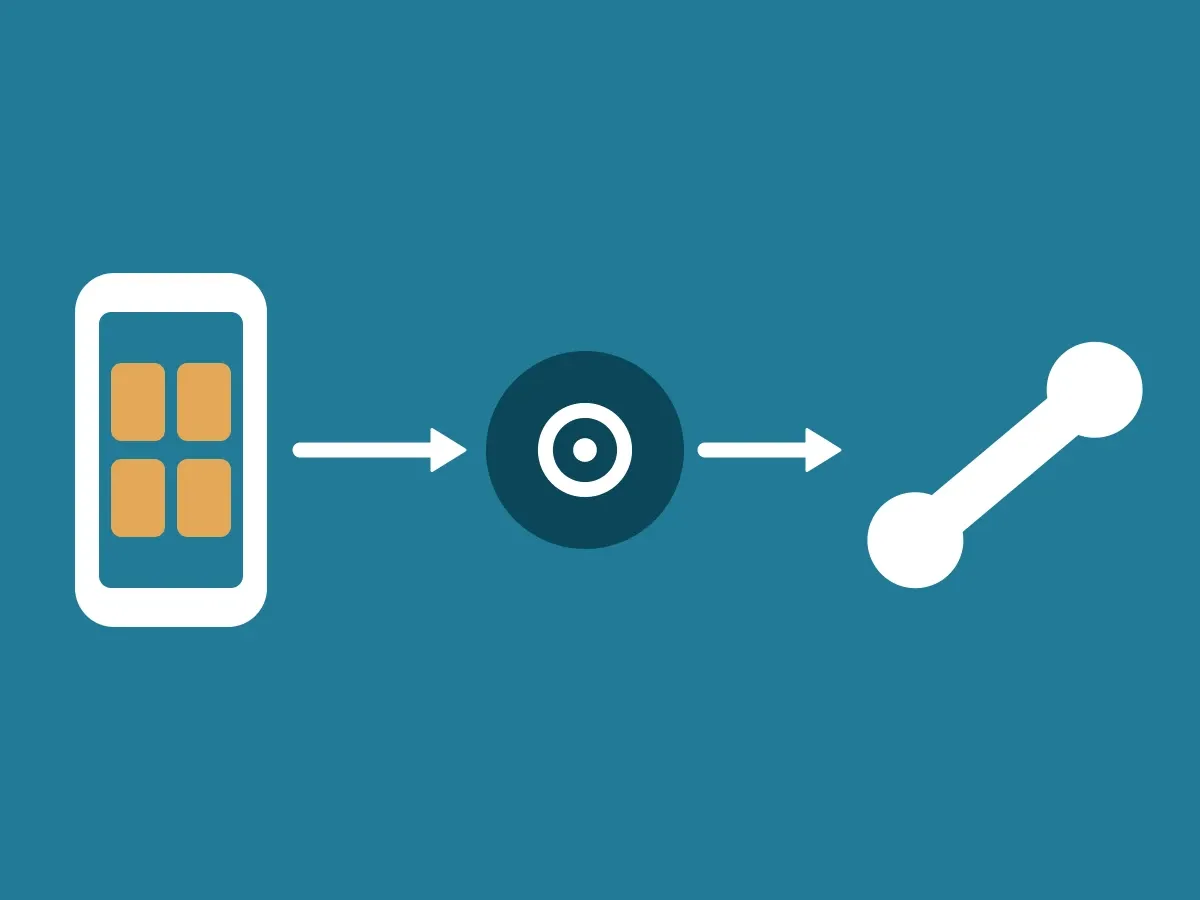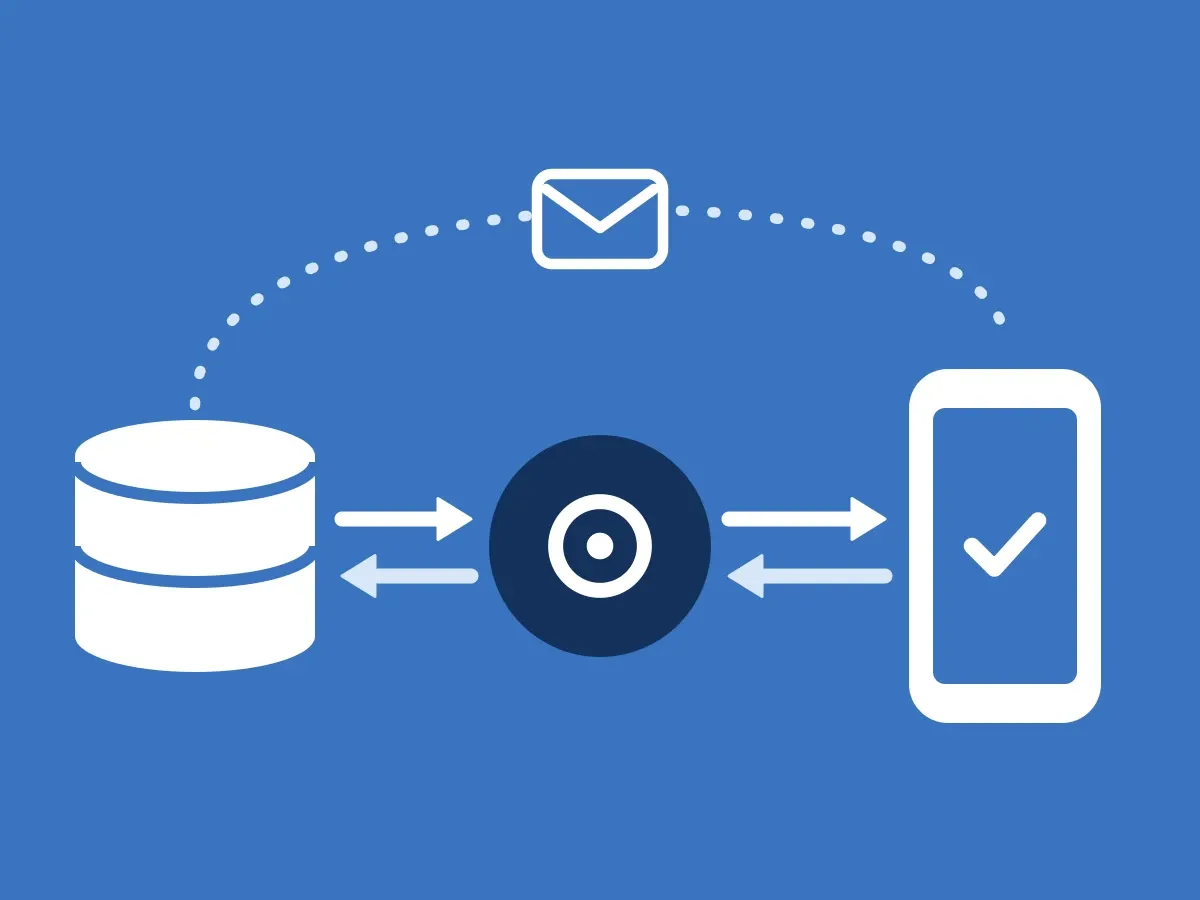
This article follows an outbound call, from the moment your employee clicks in your CRM until your customer has accepted in the app, and how a PIN can check the voice during the call. When your customer calls you instead, see How an inbound call is verified. What your customers get out of it is on Let customers see it’s you calling.
A heads-up before you call
-
Your employee clicks Call
Right before the call, your employee clicks Call in your CRM or your own system. The CRM sends the request to your ClientDB.
-
ClientDB signs the push
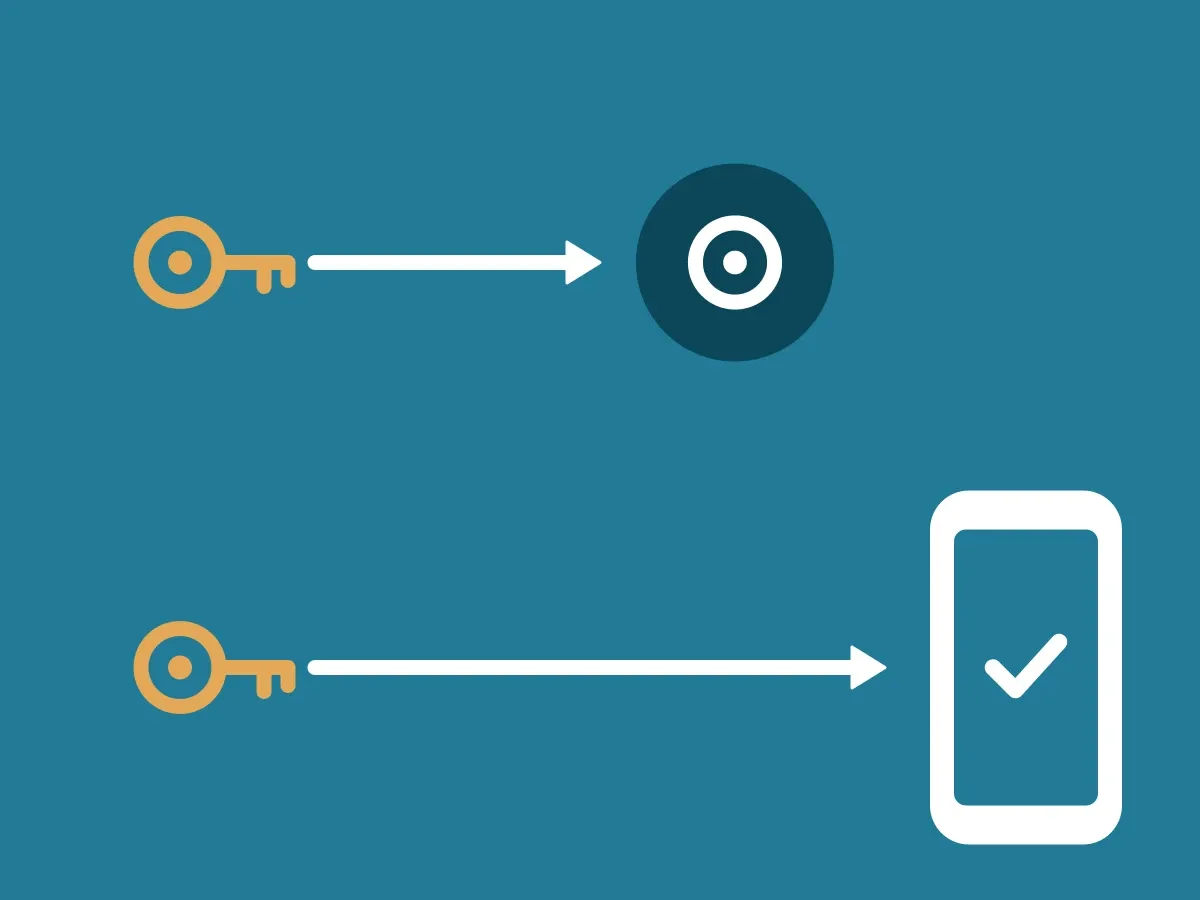
ClientDB creates a message with the customer’s phone number and the caller’s name, and signs it with your Ed25519 key. It sends the message to the ID-Truster Hub, ID-Truster’s central system.
-
The Hub finds the right app
The Hub sees the phone number only as a hash and finds the app by matching it. It sends a push to your customer’s phone.
-
The app checks the signature
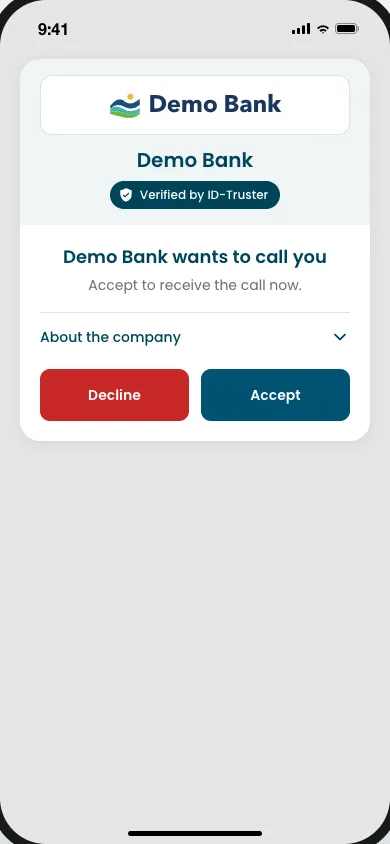
The app checks the signature against the public key in your DNS. Only then does it show that your company wants to call. Your customer can accept or decline. No PIN is shown yet.
-
Your customer accepts
If your customer accepts, the app says who will call and asks them to answer the phone. If they decline, your employee can call later.
-
The answer reaches your CRM
The answer goes back through the Hub to your ClientDB and on to your CRM. Your employee sees it right away and calls as usual.
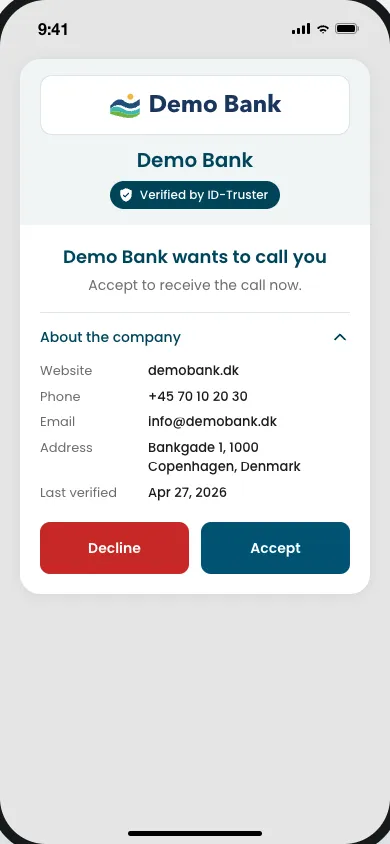
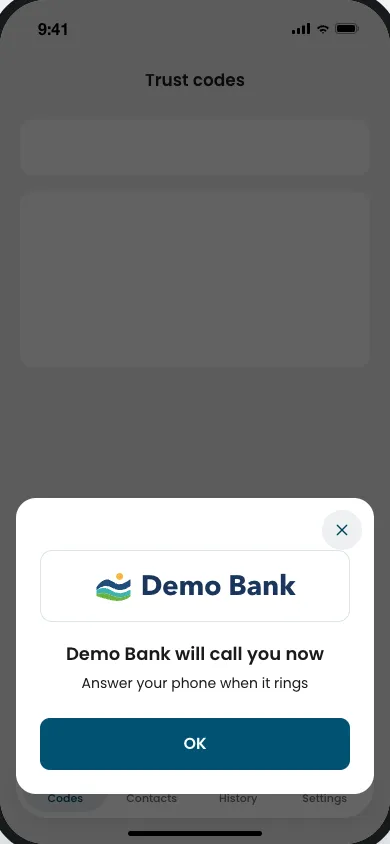
Pick a flow to see what happens, step by step.
Check a trust code
- Your newsletter goes out with a trust code made for this one recipient. It does not pass through ID-Truster.
- Your customer copies the code into the app and taps Check. The app sends it to the ID-Truster Hub.
- The format of the code tells the Hub which company made it. The Hub holds it only for a few seconds.
- Your ClientDB calls the Hub and picks up the code.
- ClientDB checks that the code was made for this exact customer and signs the answer.
- The signed answer goes back through the Hub. The app picks it up.
- The app checks the signature against the Ed25519 key in your DNS. Then your customer answers three questions about the message. All in a few seconds.
Call a customer
- Your employee clicks Call in your CRM.
- Your ClientDB signs a message and sends it to the ID-Truster Hub.
- The Hub sends a push to your customer's app.
- The app checks the signature against the Ed25519 key in your DNS and shows who is about to call.
- Your customer taps Confirm.
- The confirmation goes back through the Hub to your ClientDB and your CRM. Now your employee calls as usual.
The whole check takes a few seconds. Your phones and your phone setup stay as they are. ID-Truster only sends the push and the answer, never the call itself.
Checking again during a call
During a long call, or if no heads-up was sent, your customer can check again that they are still talking to your company.
-
Your employee sends a PIN
During the call, your employee sends a push from your CRM. ClientDB signs it, and it goes through the Hub to your customer’s app.
-
The app shows the PIN
The app checks the signature against your DNS. This card is not the heads-up. It says the caller is about to say a PIN, shows the digits, and tells your customer not to read the PIN aloud.
-
Your employee says the PIN
Your employee says the PIN out loud. Your customer compares it with the digits and marks it correct or wrong.
This is a live check. It takes both the signed push and a real employee on the line.
Who sees what
- The ID-Truster Hub sees the phone number only as a hash. It can read the caller’s name and the confirm code, so the app can show them. When you call a colleague, both are encrypted before they leave your ClientDB. The Hub passes the push on and deletes it right away. It never connects to your ClientDB.
- Your ClientDB sees which customer was called, by whom, and what they answered.
- The app gets the signed push and shows who is calling, and the PIN during the call. Call checks only happen in the phone app.
What the signal looks like is in How data moves through the ecosystem. How your keys work is in How your two signing keys work.
When a call cannot be verified
If the signature does not check out, the app does not show the call card. It opens a sheet once for that call and says the call could not be verified, and should be treated as not genuine. The same sheet is used when the key cannot be fetched from DNS, the timestamp is off by more than 60 seconds, or the app has seen the call before. The sheet does not say which. Nobody in between, ID-Truster included, can change the push without the check failing.
Your company is notified when a signature check fails. It can have an innocent cause, such as a DNS change, but it can also be an early sign that someone is trying to use your name.
A heads-up stays in the app for up to 10 minutes from when it is shown. A PIN card stays for up to 10 minutes from when the call was created.
If your customer does not have the app, they still get your call as usual. They just cannot check that it comes from you. The desktop app has no call cards.